ChatGPT Skills vs Plugins vs MCP: What They Are and How They Work
Skills tell ChatGPT how to perform a task, MCP servers give it access to external tools and data, and Plugins package it all for installation. A clear breakdown with a Google Ads example.
Updated 2026-10-22 · 8 min read · ppcfy.ai team
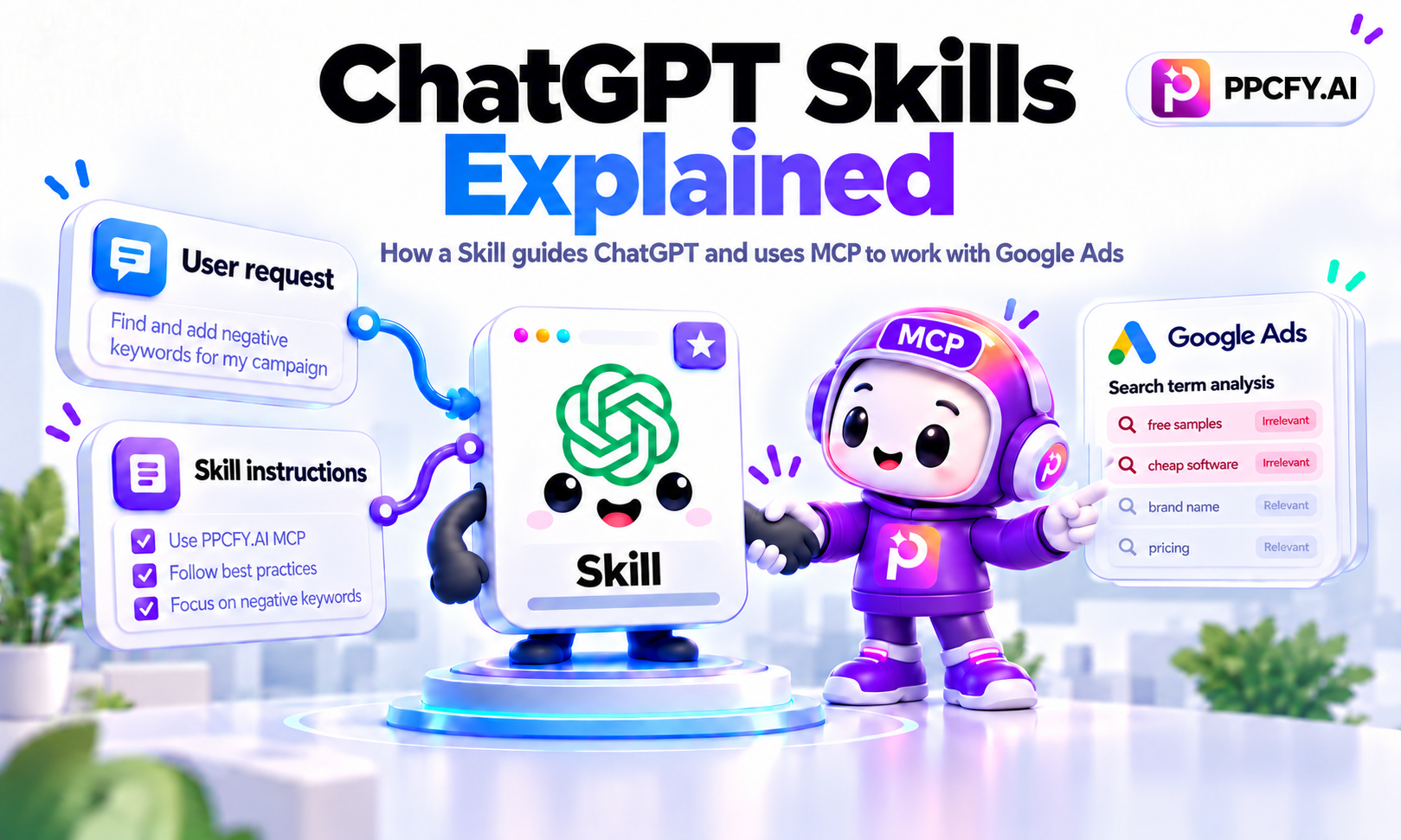
ChatGPT now has Skills, Plugins, MCP servers, and Custom GPTs. If you've used ChatGPT for a while, you've probably encountered some of these terms. But it's not always clear what each one does or why you would need it.
The main difference is simple: Skills tell ChatGPT how to perform a task, MCP servers provide access to external tools and data, and Plugins package these capabilities so users can install them.
Let's look at how this works in practice.
What Is a ChatGPT Skill?
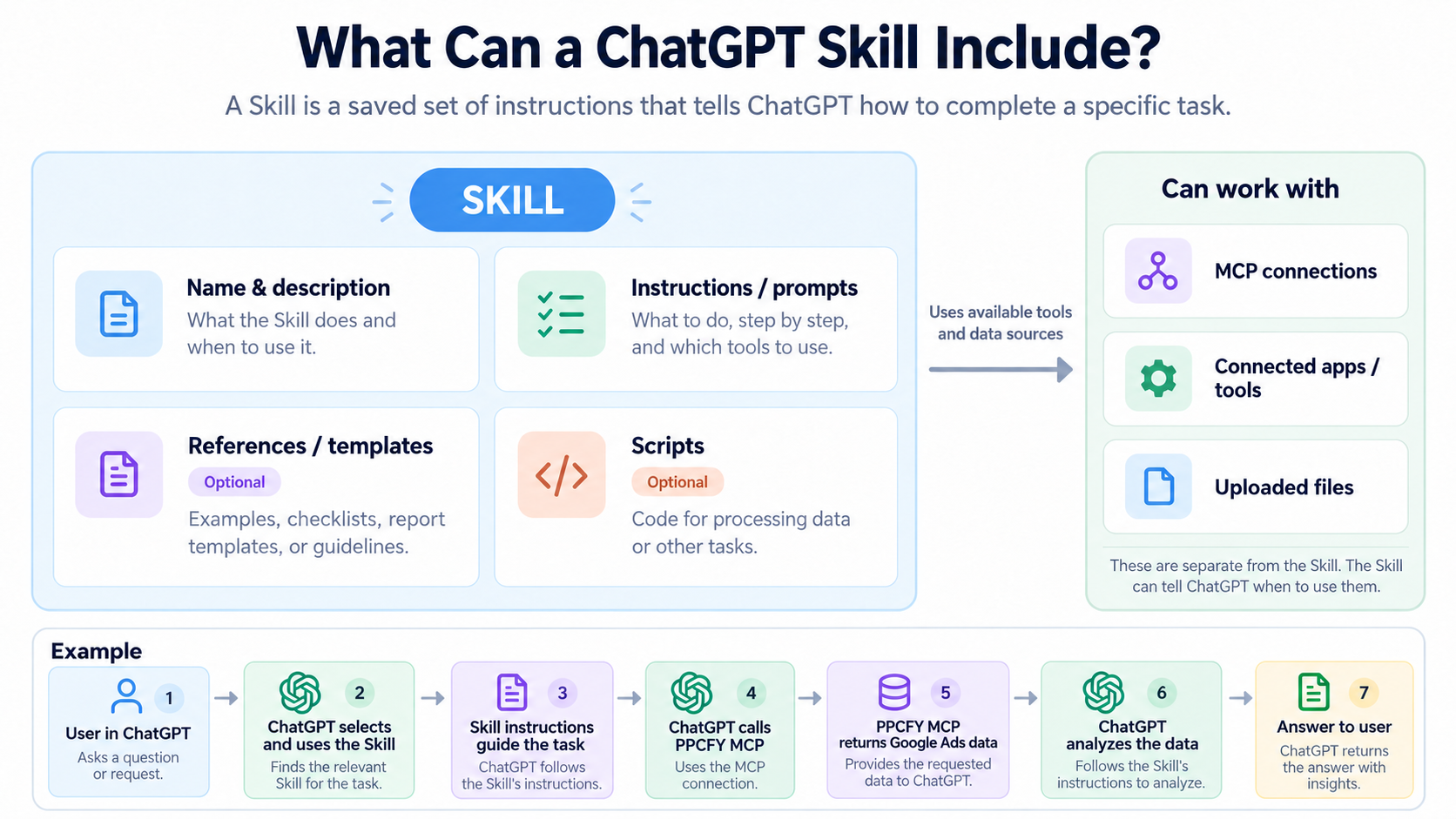
A ChatGPT Skill is a saved set of instructions that tells ChatGPT how to complete a specific task. It can include prompts, define which questions to ask, which connected tools to use, and how to process and present the results.
For example, imagine a Skill designed to analyze Google Ads search terms.
You ask ChatGPT, mentioning the Skill by name:
"Use the Google Ads Search Terms Analysis Skill to analyze my search terms and find wasted spending."
The Skill could guide ChatGPT through the following process:
- Ask which advertising account and date range to analyze, if that information is missing.
- Retrieve live search-term data directly from your actual Google Ads account through an authorized connection, such as the PPCFY.AI MCP server.
- Analyze spending, conversions, and search intent.
- Identify potentially irrelevant queries and recommend negative keywords.
- Present the findings in a structured report.
- Prepare a list of negative keywords for approval and, once approved, add the selected keywords directly to Google Ads using PPCFY MCP.
The Skill contains the methodology. PPCFY MCP gives ChatGPT access to Google Ads data and supported account actions.
The connection must already be available and authorized. A Skill cannot grant itself access to your advertising account.
If you don't have an MCP connection, the same Skill could analyze a Google Ads report uploaded manually.
This is what makes Skills useful: instead of explaining the entire process every time, you define it once and reuse it.
How Is a Skill Different From a Saved Prompt?
A saved prompt is an instruction you reuse manually. A Skill is a more structured workflow that ChatGPT can recognize and use when it's relevant.
A Skill can include instructions, examples, reference materials, templates, and scripts. It can also guide how ChatGPT uses tools already available in the conversation.
For example, a saved prompt might say:
"Analyze this Google Ads report and suggest improvements."
A Skill can specify the full process: check the date range, retrieve data, evaluate search terms, investigate wasted spending, and prepare recommendations in a consistent format.
How do you activate a Skill? ChatGPT may automatically choose an installed Skill if your request matches its name and description, but this isn't guaranteed. If you want to use a particular Skill, mention it by name, ideally in your first message when starting a new conversation. Once you've started working with that Skill, ChatGPT can continue following its instructions in subsequent messages without you having to repeat its name. You can also use more than one Skill for a task.
Unlike general Custom Instructions, which describe preferences such as your language or response style, Skills are designed for particular types of work.
ChatGPT, Skills, MCP, Plugins, and Custom GPTs Compared
| Technology | What is it? | What is it for? |
|---|---|---|
| Regular ChatGPT | A general AI assistant | Answering questions and performing tasks using the information and tools available to it |
| Saved Prompt / Custom Instructions | Instructions written by the user | Reusing a request or setting general preferences for ChatGPT |
| Skill | A reusable workflow combining a saved task-specific prompt, instructions, and optional supporting resources | Guiding ChatGPT through a task, including which available tools to use and how to process their results |
| MCP Server | A service that exposes tools and data to AI through the Model Context Protocol | Connecting ChatGPT to external systems to retrieve information or perform supported actions |
| Plugin | An installable package that can include Skills, connected apps, MCP tools, or a combination | Distributing ready-to-use workflows and integrations |
| Custom GPT | A separately configured ChatGPT assistant, scheduled for retirement on December 11, 2026 | Providing a dedicated assistant with predefined instructions, knowledge, and capabilities |
These aren't necessarily alternatives. They can work together.
How Do Skills, MCP Servers, and Plugins Work Together?
Let's continue with the Google Ads example.
User: prompt: "Use the Google Ads Search Terms Analysis Skill to analyze my search terms."
↓
ChatGPT uses the Skill
The Skill defines what to ask, which and how to retrieve the data (what tools or mcp to use), how to analyze it, and how to present the findings.
↓
ChatGPT calls PPCFY.AI MCP tools
The MCP server retrieves authorized Google Ads data and returns it to ChatGPT.
↓
ChatGPT completes the Skill's workflow
It analyzes the retrieved data and prepares recommendations.
In this example:
- The prompt is the user's request.
- The Skill defines the analysis process.
- The MCP server provides the live advertising data and supported actions.
- The Plugin, if used, can package the Skill and MCP integration into one installable product.
A Skill can use tools from multiple connected services. For example, it could retrieve advertising data through PPCFY MCP, create a task in Asana, and prepare an email using Gmail, provided those integrations are available and authorized.
This doesn't mean an MCP server is physically part of the Skill. The Skill describes when and how to use it.
Why Do You Need a Plugin If You Already Have a Skill?
You don't always need a Plugin to use a Skill.
A Skill can be installed and used independently. It tells ChatGPT how to perform a task and can use tools you've already connected.
A Plugin is useful when you want to offer these capabilities to other users as an installable product.
For example, PPCFY.AI could offer a Plugin containing its Google Ads MCP connection and several Skills for search-term analysis, campaign audits, and reporting. Users could install this package instead of setting up each component separately. They would still need to authorize access to their Google Ads accounts.
A Plugin can also contain just one type of component:
- Only Skills: A collection of reporting or analysis methods that work with uploaded files or existing tools.
- Only MCP: A connection to Google Ads that lets ChatGPT retrieve account data and perform supported actions, without additional Skills.
- Skills + MCP: Both the connection to Google Ads and ready-made instructions for analyzing and optimizing campaigns.
So the distinction is straightforward: a Skill tells ChatGPT how to do the work. A Plugin is the installable product that can deliver that Skill, an MCP connection, or both to users.
For more details, see OpenAI's Plugin architecture.
What Does an MCP Server Actually Do?
MCP stands for Model Context Protocol, an open standard for connecting AI applications to external systems.
An MCP server makes specific capabilities available to ChatGPT.
For example, the PPCFY.AI MCP server connects ChatGPT with Google Ads, Google Analytics 4, and Google Business Profile.
For Google Ads, it can retrieve campaign performance metrics and search-term data. It also supports operations such as adding negative keywords, creating campaigns, ads or ad groups, and changing budgets.
This means ChatGPT can go beyond analyzing uploaded files. With the necessary permissions, it can work with live account information and perform supported actions after the required approvals.
MCP itself doesn't define a complete PPC audit methodology. That's where a Skill can add value.
Technically, MCP servers can also provide resources, reusable prompts, and usage instructions. Their primary role here, however, is to expose external capabilities rather than define an entire task-specific workflow.
For more about practical MCP usage in advertising, read How I Built My Own AI Ecosystem for Google Ads.
What About Custom GPTs?
Custom GPTs were an earlier way to create specialized ChatGPT assistants with predefined instructions, knowledge files, and configured capabilities.
For example, you could create a dedicated Google Ads assistant and open it whenever you needed an audit.
Skills work differently. They provide reusable workflows within supported ChatGPT conversations without requiring a separate assistant for every task.
OpenAI has announced that Custom GPTs are scheduled to retire on December 11, 2026, with an approved extension until February 11, 2027, for certain Enterprise workspaces.
The planned replacement path is migration to Plugins, which can combine instructions, reference files, and connected applications. Existing custom actions do not transfer automatically.
See OpenAI's Custom GPT retirement FAQ.
When Should You Use a Skill?
A Skill is useful when you regularly ask ChatGPT to perform the same type of work and want it to follow a consistent process.
Examples include analyzing advertising accounts, preparing weekly performance reports, reviewing documents against company standards, or creating tasks across connected services.
The advantages are straightforward: you avoid repeating detailed instructions, make workflows more consistent, and can share proven methods with colleagues.
However, Skills have limitations. They don't guarantee correct results, cannot access accounts without authorized connections, and depend on the tools available in your ChatGPT environment.
For one-time questions, simple writing tasks, or occasional analysis, regular ChatGPT may be sufficient.
Where Can You Find ChatGPT Skills?
For supported accounts, open Plugins → Skills in the ChatGPT sidebar.
From there, you can view installed and shared Skills, create your own through ChatGPT or the Skills editor, and upload an existing Skill.
As of October 2026, OpenAI lists dedicated ChatGPT Skills support for eligible Business, Enterprise, Healthcare, and Edu users, subject to workspace settings.
The Plugin Directory is available more broadly, although individual capabilities and installation permissions may vary by plan and product.
For the latest instructions, see Skills in ChatGPT.
A New Development: ChatGPT Apps
On October 6, 2025, OpenAI introduced a new generation of ChatGPT Apps, initially launching with a small group of partners, including Canva, Spotify, and Booking.com.
A ChatGPT App brings an external service directly into a conversation, allowing users to interact with it through natural language and, where supported, interactive elements such as forms, maps, or dashboards. Apps can retrieve information, perform supported actions, and let users work with external services without leaving ChatGPT.
Developers can build these experiences using OpenAI's Apps SDK, which extends MCP with tools for defining an application's chat behavior and interface. Apps can connect to existing backends, and developers can now submit them for review and publication in ChatGPT.
PPCFY.AI is also developing its own ChatGPT App.
Learn more in OpenAI's Introducing Apps in ChatGPT and Apps SDK documentation.
Final Thoughts
Skills, MCP servers, and Plugins solve different problems, but they can work together to make ChatGPT more useful for real tasks.
A Skill saves the prompts and instructions for a particular task, including which tools to use and how to handle their results. An MCP server connects ChatGPT to external services, giving it authorized access to information and actions that aren't available through a normal web search. A Plugin lets developers package these capabilities so other users can install them.
For example, a Google Ads Skill can guide ChatGPT through analyzing search terms, while PPCFY.AI MCP retrieves actual data from your advertising account and allows approved negative keywords to be added directly. The same Skill could work with an uploaded report instead, without MCP. And if you wanted to distribute the Skill together with the Google Ads connection, you could package them as a Plugin.
The key is knowing what you need: a repeatable process (Skill), access to external data and actions (MCP), or a ready-to-install combination of capabilities (Plugin).